TrueNAS configuration#
Info
This guide is written by a community member helping another community member setting up the server without first hand knowledge or experience
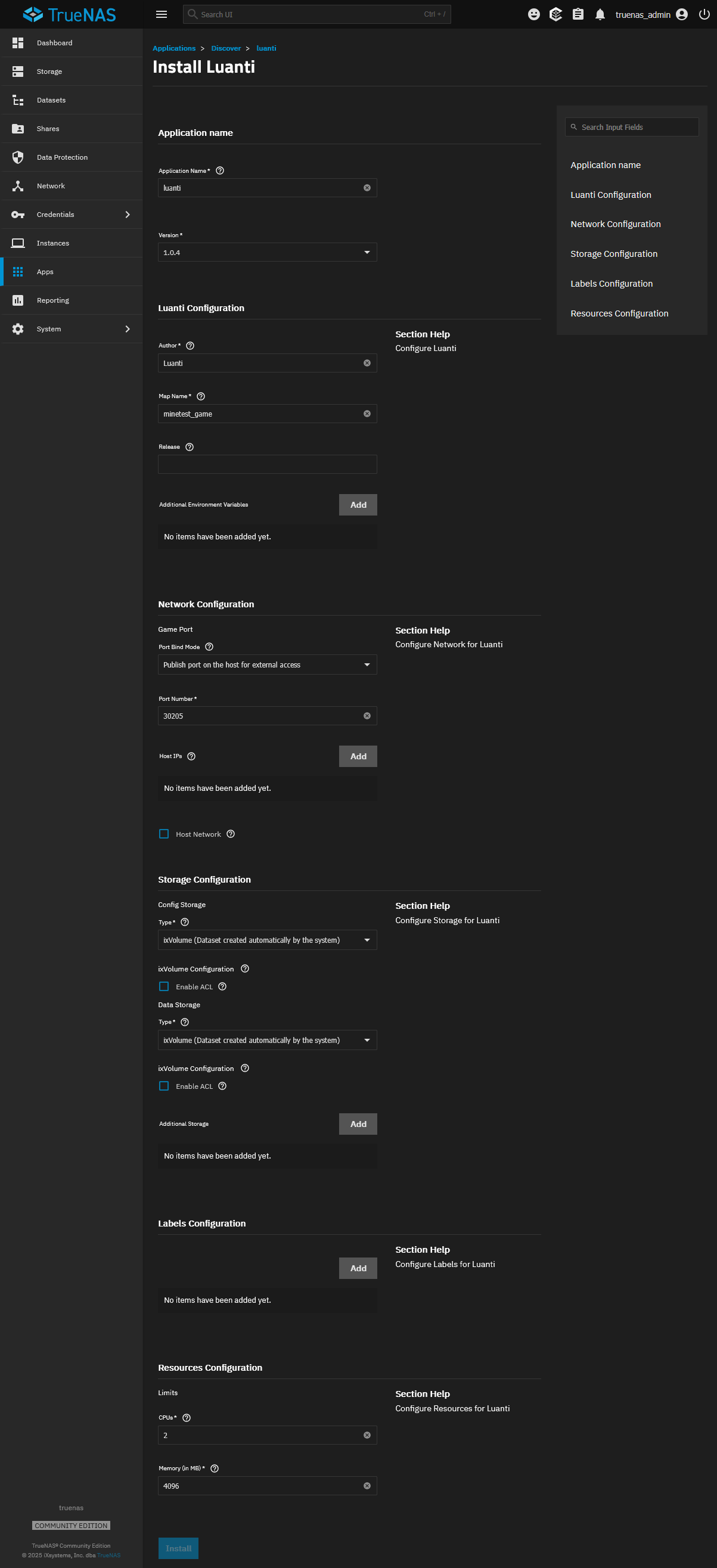
luanti is available as a TrueNAS App. Please first follow the guide for installing an app: https://apps.truenas.com/managing-apps/installing-apps/.
Selecting a Game#
by default, TrueNAS has minetest game. First find any game you would like at https://content.luanti.org/packages/?type=game, and note the author and package name. In the app configuration, put the author name in the author field, and the package name in map name configuration field. Yes, you read the package name configuration field name correctly, see this issue for more details on the naming of that field. There is also the release field, but it is recommended to leave that blank for the latest package release.
Port#
It should be noted that TrueNAS serves luanti on port 30205 rather than luanti’s default of 30000
Configuration Options#